
Install WordPress with a click
You can create your personal WordPress blog with a simple click in the dashboard. It will be ready for you to use via your web browser.
Howto
When creating a new Asteroid in the dashboard you can choose WordPress as a "preinstalled App".
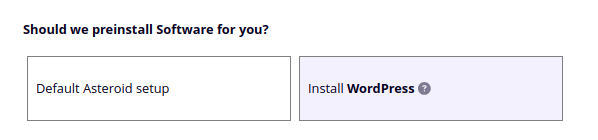
This will create the new Asteroid instance and install the latest stable version of WordPress.
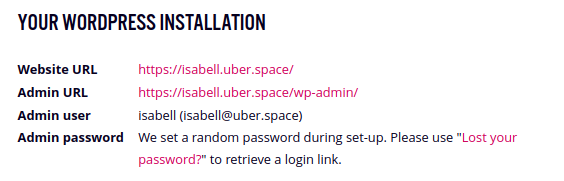
When the installation has succeeded, a summary of your WordPress instance will be shown in the dashboard datasheet. You should also receive an email from your WordPress instance at your registered Uberspace account mailaddress.
Login to the admin dashboard
The WordPress admin dashboard will be available at your default domain, for example at https://isabell.uber.space/wp-admin:
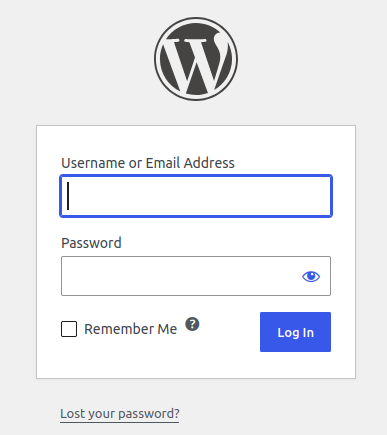
To login, you need to set up a password. Use the "Lost your password?" link on the login page to do so:
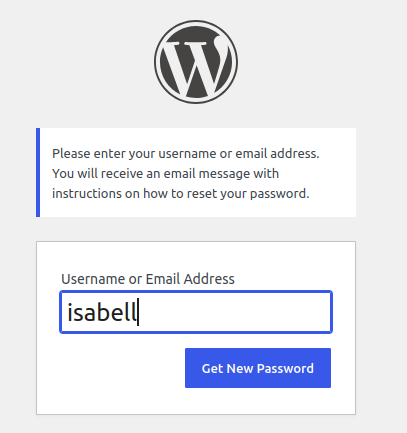
Enter your new Asteroid name (e.g. isabell) to receive the password recovery link via email.
Change the domain
By default, your WordPress will be available at your default Asteroid domain, but can easily set up your own custom domain.
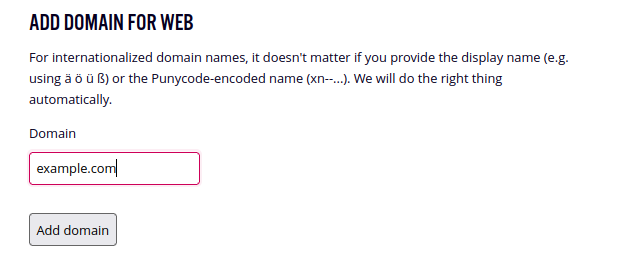
First, add the domain to your Asteroid using the Uberspace dashboard:
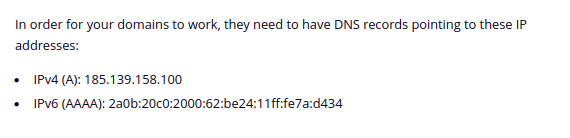
Then, follow the instructions shown there to set up DNS with your registrar or DNS provider (the IPs shown here will differ for your Asteroid):
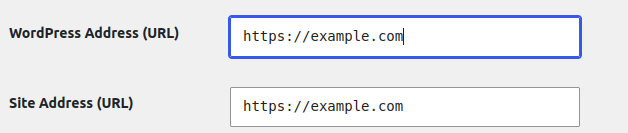
Finally, you can change the domain in the WordPress admin dashboard at Menu->Settings/General:
Automatic updates
By default, WordPress updates its core installation automatically.
Additionally to that, our app installer configures daily cronjobs that will enable auto-updates for all plugins and themes you add to your blog.
Have a look to the guide or playbook to see the details.
Technical background
We make use of our app install command to offer this preinstall service. So everything we do here via dashboard in the web browser, you can perform on your own via SSH by using the command.
The installation path we use is documented by the playbook in the Lab. So you have full transparency without any lock-ins to manage and adapt your software after the the initial set-up if you like.
Your blog, your freedom, your responsibility
Keep in mind that this is only a preinstalled WordPress, not "managed" hosting. That means your Asteroid is initially set up with the software, and automatic updates and some performance configs are configured for you.
This is a good and stable base to just keep your blog running. And using the WordPress admin dashboard via browser is stable and safe in the most ways.
In addition to that, you are free to install any plugins and themes you like, and you have full SSH access if needed. This gives you a great deal of freedom, just like any other Asteroid instance. However, as with any software you install and configure yourself, you are responsible for it.
Of course, as usual our support is at your side with any challenges you encounter with our hosting services. Sometimes we will fly the extra mile and help you out with WordPress hickups etc., but we are no experts for external software products and in special cases we might also need to forward you to other sources for support.